
Programmers love their tools. It can be a fetish. How many tools is too many tools between your software and your customer?
Sometimes having more tools in your toolbox is a hinderance not an asset. Organizational breakdowns. Lost tools. Normally there are a few key tools you always have close by if needed.
As engineers or programmers it is often our bench software: Matlab, python, various editors and programming environments. Everyone loves good tools.
Editors and IDEs
Typing is so important. The speed of thought into your editor, the interface between man and machine. Keyboard shortcuts, specialized editors, beyond qwerty… they all tie you to a configuration. It is not a deal-breaker, but its important to reduce the friction between you and your data entry point. But the more you configure the harder it is to work on another’s system.
Do I have to mention emacs and vim? Yes. These ancient editors require months of training to use effectively and perhaps years to master.
1970s computing was defined by big iron machines or mainframes. Big servers, dumb clients. PDP-10’s main storage was tape machines and TECO was the editor of choice. A single page editor. This was great for editing LISP programs and eventually an Editor of Macros (Emacs) was developed mid-70s. Somehow it is still the preferred editor of many programmers.
On the other end of the editor spectrum was “line editors” which were more attuned to working on teletypes. Teletypes are typewriters with serial links. Could it be over a phone line? Vi is a visual line editor created shortly after Emacs. Its modern version was rebooted in the 1980s as Vim. Again, the editor is still used at large (in 2024) and there is a large key-binding extension/plugin for most Integrated Development Environments (IDEs).
Is it worth it to learn emacs or vim? Yes, but that is my opinion and I wouldn’t suggest learning to ship a product and learn vim at same time. It is a lifestyle change that seems less and less important these days. It’s a fun distraction from real work.
Programming outside of a UNIX environment is largely done in a IDE. Visual Studio being the de-facto standard for C++ development. As opposed to makefiles and shell scripts, the idea of an IDE is everything is in one spot. Editor, Compiler, Debugger. Very convenient, you can setup IDE like features in emacs and vim, you could say emacs is a IDE for LISP. Borland IDEs have a special place in my heart as this is where it all started for me, outside of QBasic of course.
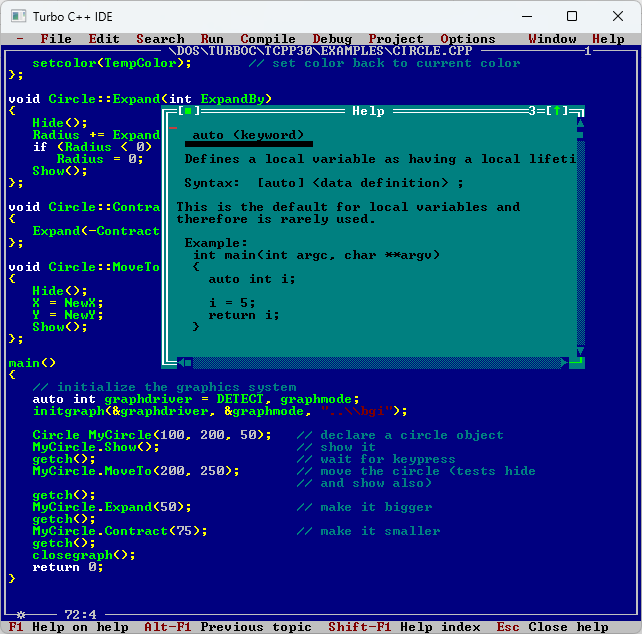
The point I’m trying to make is, you can approximate one with the other. Your customer doesn’t care which IDE or text editor you use. The language, framework, etc is a builder’s artifact. A tool mark.
Custom Keybindings & Hardware
If you listen intently you can hear the crackle of mechanical keyboards chording and creating arpeggiations of clicks echoing. Mechanical Keyboards are nice, but I think if you wanted to become inept on the other peoples machines. Just learn DVORAK or COLMAN instead of QWERTY. Still awaiting learning how to use my ErgoDox.
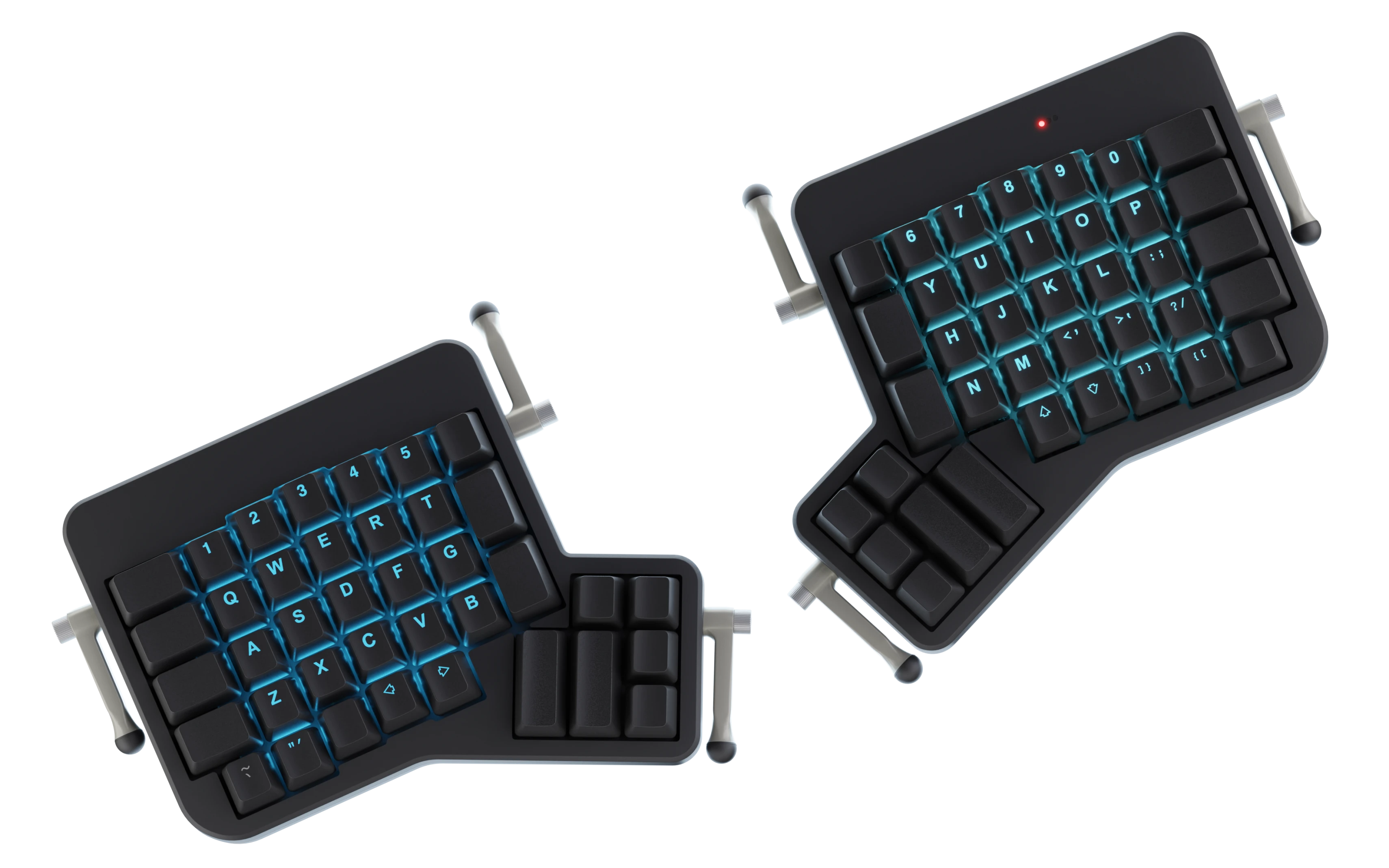
The command interface or how you move around the file are what I would say splits emacs and vim editors. Modal (vim) vs normal. Let’s leave that for another post. This is all to say the mouse is not the most important tool of a programmer when writing code. Your hands re on your keyboard.
Some people (ahem) have even added a foot pedal for shift or other keyboard strokes.
Vendor Software
On a unix you are almost guaranteed to have a C compiler. I think that is POSIX standard. Your distribution will provide it. Microsoft provides the Visual Studio. One you thing you can do is make these IDEs emulate emacs or vim. I do this for vim in both Visual Studio (Proper) and VS Code. Its pretty close and I get some breakpoints for free. On Linux I’ve heard good things about Qt Creator as an IDE.
You may have other vendors outside of your main development tool kit provided by vendor 1. Every piece of software you add beyond this point is normally business related. Libraries are the most important consideration when writing software in a reasonable amount of time. I would vet your libraries thoroughly and “vendor them in” to your main source control.
Then there is the subscription as a service (SaaS). This means you normally don’t host it yourself. Github is a perfect example of a legit reason to include a SaaS product into your development pipeline. But the real thing here is with a remote service, you run risk to disruptions you have no control over. Sometimes the website goes bankrupt. I would avoid these in your flows if possible.
Of course there is our own customization of your tools on top of this. Configurations, Plugins, Extensions, our own shell scripts. Often it’s the “dotfiles”. These build up over the years.
3 Levels
It is important for you to customize your development environment so that you can build and ship your product to customer. Often these setups can be cumbersome and fragile, but that is ok, the product doesn’t suffer from this directly. Now developer tool fatigue is a real thing. Developer ergonomics are important, but taken to the extreme, turns into a naval gazing exercise.
- Rolling Stock – Minimum settings changed, As it was intended
- Custom Setup – Tinkering deeper, voiding warranty
- Fired or Getting Paid – How many apps/scripts are between you and your product or customer?
I like to roll stock when I can. Just because you CAN customize and extend, doesn’t mean you should. Is it worth it to add this new complication to my codebase?
Fired or Getting Paid? — I think this is an important question, will you create an unmaintainable mess while getting paid and then get fired because the business cannot support the liability you have created, or will you keep it running as best you can and improve the system reliability slowly over time?
endcap
I may or may have not written a kernel extension for windows that maps caps lock to escape. The autohotkey hack wasn’t fast enough. I love the idea of “jig’s” I love making tools, but sometimes it gets me into deep trouble…

 CommandPattern.org