
I learned to program in the 1990s when terms like Object Oriented Programming (OOP) and Rapid Application Development (RAD) were where people thought the future was headed. The exact way I “learned” C++ was through a yellow “learn c++ in 24 hours”
I guess I got the title wrong, it was yellow for sure:
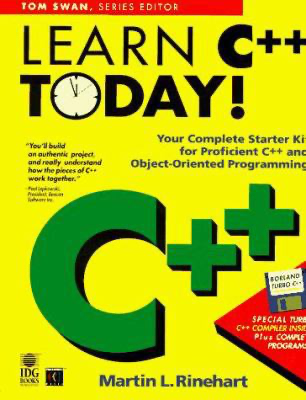
I quit programming after about 3-4 months with this book. I remember they taught OOP through making terminal GUIs for DOS. I went back to Photoshop4 and decided I wasn’t smart enough.
Perhaps teaching OOP to a BASIC programmer with mid 90s C++ is what ruined me.
Main Topic
Leaving behind the baggage, let’s discuss what Object Oriented Programming is:
Objects are like people. They’re living, breathing things that have knowledge inside them about how to do things and have memory inside them so they can remember things. And rather than interacting with them at a very low level, you interact with them at a very high level of abstraction, like we’re doing right here
Steve Jobs ’94 Rolling Stone
I tell you what, that sounds great, but also terrifying. I think his quote actually shows a deep understanding of what Objects or “Classes” are in and the consequences in OOP.
Functions
Lets look at my Ray Tracer Challenge starting point for primitives:
import math

EPSILON = 1e-6 # [0-1] - grid size or fidelity (smaller is, is smaller)

tuple4 = tuple[float,float,float,float] #vector t[3]=0, point t[3]=1

# this can be replaced with math.isclose()
def float_is_equal(a:float, b:float, eps=EPSILON)->bool:
    return math.fabs(a-b) < eps

def tuple_is_equal(a:tuple4, b:tuple4, eps=EPSILON)->bool:
    return \
        float_is_equal(a[0], b[0], eps) and \
        float_is_equal(a[1], b[1], eps) and \
        float_is_equal(a[2], b[2], eps) and \
        float_is_equal(a[3], b[3], eps)

def tuple_neg(a:tuple4)->tuple4:
    return (-a[0], -a[1], -a[2], -a[3])

def tuple_add(a:tuple4,b:tuple4)->tuple4:
    return (a[0]+b[0], a[1]+b[1], a[2]+b[2], a[3]+b[3])

def tuple_sub(a:tuple4,b:tuple4)->tuple4:
    return (a[0]-b[0], a[1]-b[1], a[2]-b[2], a[3]-b[3])

def tuple_is_point(tuple:tuple4)->bool:
    return int(tuple[-1]) == 1

def get_vector(x:float,y:float,z:float)->tuple4:
    return (x,y,z,0)

def get_point(x:float,y:float,z:float)->tuple4:
    return (x,y,z,1)
Ok lets try and use this:
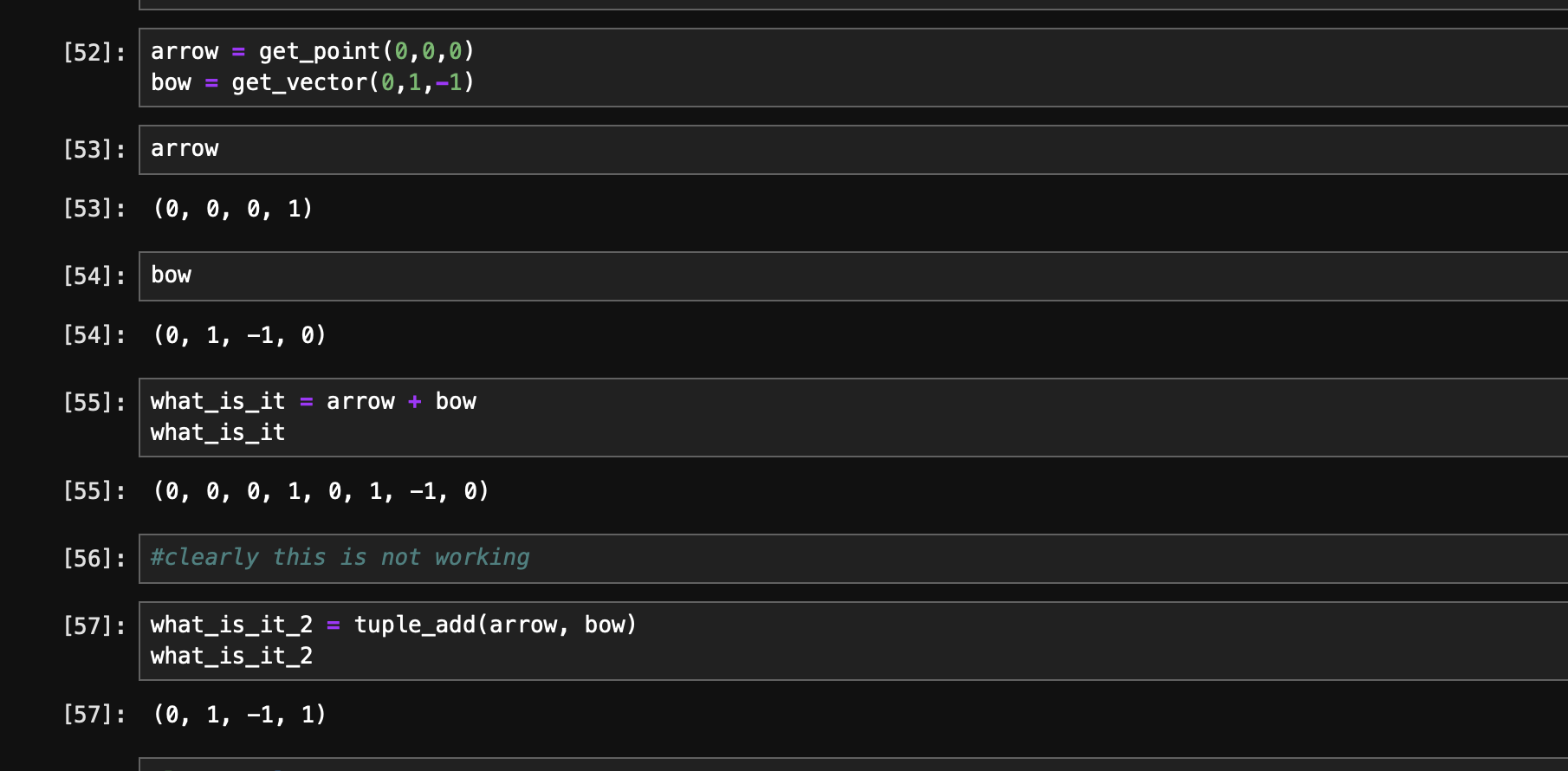
Its not bad, but when we start adding more features to tuple it may become harder for a reasonable person to clearly see how to use this Application Programming Interface (API) for your tuple4 type.
Towards an Object
As you can see when you start down this path, the implementation can get annoying to program against. You could, with a small penalty performance wise*, wrap this functional interface in an object.
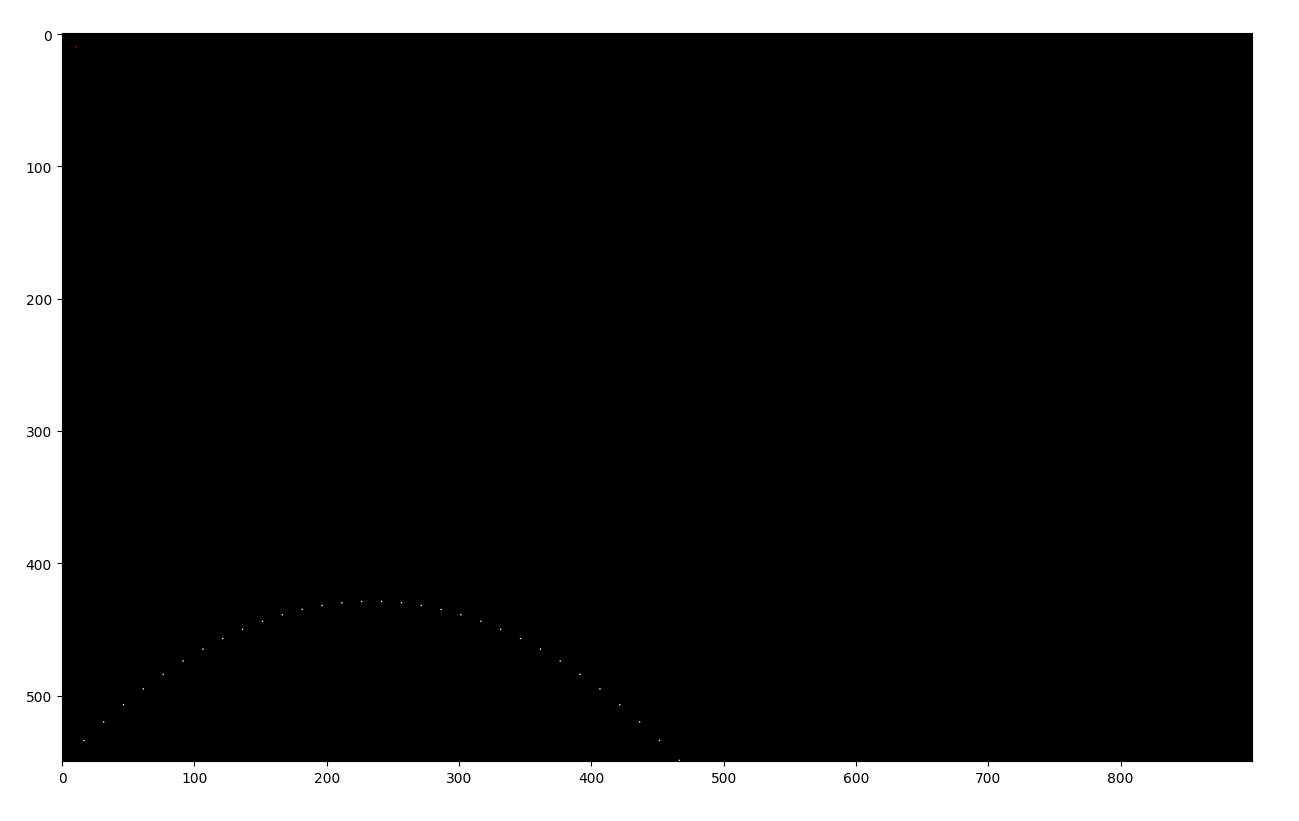
Lets motivate this a bit by looking at this code here:
import prim1 as pr
import canvas_io as cvi

ball_pos = pr.get_point(1,1,0)
#ball_vel = pr.tuple_norm(pr.tuple_mul_scale(pr.get_vector(1,1,0), 1.25))
ball_vel = pr.get_vector(15,15,0)

env_gravity = pr.get_vector(0,-1,0)
#env_wind = pr.get_vector(-0.01,0,0)
env_wind = pr.get_vector(0,0,0)

def tick(ball_pos, ball_vel, env_gravity, env_wind):
    return (pr.tuple_add(ball_pos,ball_vel), pr.tuple_add(pr.tuple_add(ball_vel,env_gravity),env_wind))


def sim(ball_pos, ball_vel, max_iters=1e3):
    pos_t = []
    for t in range(int(max_iters)):
        ball_pos, ball_vel = tick(ball_pos,ball_vel,env_gravity, env_wind)
        pos_t.append(ball_pos)
        if (ball_pos[1] <= 0):
            print('ball hit ground')
            break

    return pos_t


pos = sim(ball_pos,ball_vel)
canvas = cvi.get_canvas(900,550)
for p in pos:
    x = int(p[0])
    y = int(550-p[1]) #swap y axis
    #y = int(p[1])
    cvi.canvas_write_pixel(canvas, x, y, (1,2,3))

#for i in range(550):
#    cvi.canvas_write_pixel(canvas, 10, i, (0,3,0))

#for i in range(900):
#    cvi.canvas_write_pixel(canvas, i, 10, (0,0,3))

#for i in range(900):
    #cvi.canvas_write_pixel(canvas, i, i, (3,3,3))

cvi.canvas_write_pixel(canvas, 10, 10, (3,0,0))
cvi.canvas_write_pixel(canvas, 899, 539, (3,0,0))

print("writing to disk")
import time
tic = time.perf_counter()
# cvi.canvas_to_ppm(canvas, "ball2.ppm")
toc = time.perf_counter()
#print("done: " + str(toc-tic) + " seconds")

import matplotlib.pyplot as plt
plt.imshow(canvas.swapaxes(0,1))
plt.show()
Python Class
I have something to admit. I looked up how to do everything you are about to see. Take it with grain of salt, and if you have feedback please check form at bottom of post (click title to break out of infinite scroll 🙂
class Tuple4:
    def __init__(self, x:float, y:float, z:float, p:float):
        self.x = x
        self.y = y
        self.z = z
        self.p = p

    def from_tuple4(t4:tuple4):
        return Tuple4(t4[0],t4[1],t4[2],t4[3])

    def get_point(x:float, y:float, z:float):
        return Tuple4(x,y,z,1)

    def get_vector(x:float, y:float, z:float):
        return Tuple4(x,y,z,0)

    def __repr__(self): #this will give us something nice in jupyter notebook when we eval in place
        return "(" + str(self.x) + ", " + str(self.y) + ", " + str(self.z) + ", " + str(self.p) + ")"

    def __eq__(self:Tuple4, other):
        return tuple_is_equal((self.x, self.y, self.z, self.p), (other.x, other.y, other.z, other.p))

    def __add__(self:Tuple4, other):
        if (isinstance(other, Tuple4)):
            return tuple_add((self.x, self.y, self.z, self.p), (other.x, other.y, other.z, other.p))
New Usage Pattern

Honestly, we need a part ][ of this post to continue 😉
I’m object oriented out. I ❤ Functions. Teaser for next post (objects are entire programs onto themselves, this can be troublesome)
Jupyter Notebook
sorry about that… some bugs with ipython forbidden. Main github project: https://github.com/robmurrer/pyrtc
 CommandPattern.org